Wireless Direct Thermal Printer: The Ultimate Printing Revolution

Introduction
Have you ever imagined printing receipts, shipping labels, or barcodes without messy cables, ink cartridges, or complicated setups? That’s exactly what a wireless direct thermal printer offers. Compact, efficient, and totally cable-free, these printers have become the backbone of modern businesses—from retail counters to logistics hubs.
In this guide, we’ll explore everything about wireless direct thermal printers—how they work, why they’re trending, and how to choose the perfect one for your business.
Understanding Direct Thermal Printing Technology
How Direct Thermal Printing Works
A direct thermal printer uses heat to create images on specially coated paper. Instead of using ink or ribbons, the print head heats specific areas on the thermal paper to form text or barcodes. It’s clean, efficient, and requires minimal maintenance.
Thermal Transfer vs. Direct Thermal
- Direct Thermal: Prints directly on heat-sensitive paper. Ideal for short-term use like receipts and shipping labels.
- Thermal Transfer: Uses a ribbon to transfer ink onto the surface. Better for long-lasting labels like product tags.
Key Features of Wireless Direct Thermal Printers
1. Wireless Connectivity Options
Most modern printers come with Wi-Fi and Bluetooth connectivity, allowing easy pairing with smartphones, tablets, and PCs. You can print from anywhere within range—no cables needed.
2. No Ink or Toner Needed
Say goodbye to expensive ink cartridges! Direct thermal printers only need thermal paper, which drastically reduces operational costs.
3. Compact and Portable
Their lightweight, handheld design makes them perfect for on-the-go tasks like delivery invoicing or event ticketing.
4. Low Maintenance
With fewer moving parts and no ink components, these printers are incredibly durable and require minimal servicing.
Advantages of Using Wireless Direct Thermal Printers
1. Cost-Effective Operation
Since they don’t use ribbons or ink, long-term running costs are extremely low.
2. High-Speed Printing
Prints receipts and labels within seconds—ideal for fast-paced businesses like retail or logistics.
3. Flexibility and Mobility
Bluetooth models can connect directly to mobile apps, making field operations smoother for delivery teams or warehouse staff.
4. Eco-Friendly Solution
No ink, no cartridges, less waste. Many manufacturers now use recyclable thermal paper, supporting sustainability efforts.
Applications of Wireless Direct Thermal Printers
Retail and POS
Perfect for printing bills, receipts, and barcodes in retail outlets.
Logistics and Warehousing
Used for shipping labels, inventory management, and tracking tags.
Healthcare
Hospitals use them for lab samples, patient tags, and prescriptions.
Events and Ticketing
Used for printing entry tickets and wristbands on the spot.
Restaurants
Ideal for kitchen orders, billing, and delivery labeling.
How to Choose the Right Wireless Direct Thermal Printer
When selecting a model, consider the following:
- Print Speed: Faster printers save time in busy environments.
- Resolution: Go for 203–300 DPI for sharp text and barcodes.
- Battery Life: If portable, ensure it lasts an entire work shift.
- Connectivity: Check if it supports both Wi-Fi and Bluetooth.
- Brand Support: Choose a brand offering good warranty and customer service.
Comparison: Wired vs. Wireless Thermal Printers
| Feature | Wired Printer | Wireless Printer |
| Mobility | Limited | High |
| Connectivity | USB/Serial | Wi-Fi/Bluetooth |
| Setup Time | Longer | Quick & Easy |
| Ideal For | Fixed counters | Field operations |
If you value flexibility, wireless models clearly win the race.
Top Brands Offering Wireless Direct Thermal Printers
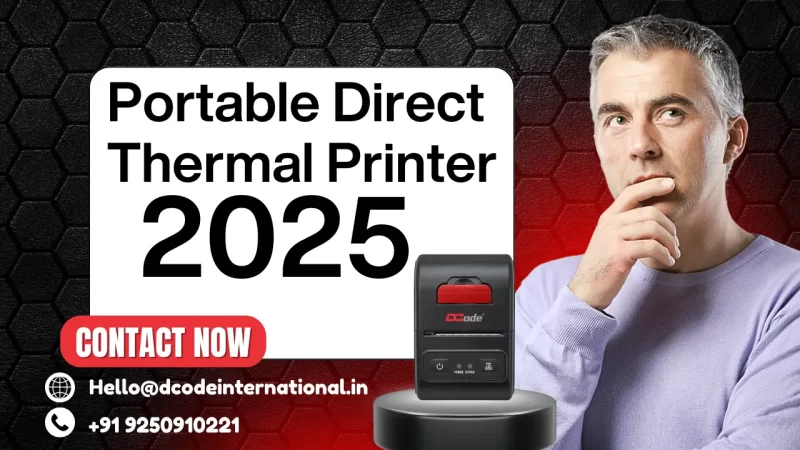
- Dcode International: Known for durable, budget-friendly mobile printers like DCMP21.
- Zebra: Premium performance for industrial printing.
- Brother: Compact designs for small businesses.
- Epson: Reliable and high-speed models.
- Bixolon: Great for retail and hospitality sectors.
Step-by-Step Setup Guide
- Unbox the printer and charge it fully.
- Install the thermal paper roll correctly.
- Turn on Bluetooth or Wi-Fi on both the printer and your device.
- Pair and connect via app or settings.
- Print a test page to confirm setup success.
Common Issues and Troubleshooting Tips
- Faded Prints: Check paper quality or replace the thermal roll.
- Paper Jam: Open the cover and reload paper properly.
- Connectivity Issue: Restart both printer and mobile device.
- Firmware Errors: Update software via the manufacturer’s app.
Maintenance Tips
- Clean the print head regularly with a soft alcohol pad.
- Always use high-quality thermal paper.
- Store the printer in a cool, dry place.
- Keep firmware updated for optimal performance.
Future Trends in Wireless Direct Thermal Printing
The future looks smart and connected. Expect:
- IoT Integration: Cloud-connected printers for remote control.
- AI Automation: Predictive maintenance and usage analytics.
- Eco Papers: Fully recyclable and BPA-free label options.
Environmental Impact and Sustainability
By eliminating ink and toner waste, these printers reduce carbon footprint. Moreover, many brands now offer energy-efficient modes, further lowering power usage.
Price Range and Buying Guide
Wireless direct thermal printers typically range from ₹4,000 to ₹25,000, depending on speed, features, and durability.
Buy from authorized resellers or brand websites to ensure authenticity and warranty coverage.
Conclusion
A wireless direct thermal printer isn’t just a gadget—it’s a smart business solution. Whether you’re running a retail store, managing logistics, or organizing events, it delivers speed, efficiency, and convenience. As the world goes wireless, these printers are paving the way for a cleaner, faster, and smarter future.
FAQs
1. What paper do wireless direct thermal printers use?
They use heat-sensitive thermal paper rolls—no ink or ribbons required.
2. Can I print from my mobile phone?
Yes! Most models support Bluetooth or Wi-Fi connections via mobile apps.
3. How long do direct thermal prints last?
Prints can last up to 6–12 months depending on storage conditions.
4. Are wireless thermal printers expensive to maintain?
Not at all—maintenance costs are minimal since there’s no ink or toner involved.
5. Which brand offers the best value for money?
Dcode International provides a great balance of performance, price, and durability for Indian businesses.
Contact Us
Website: www.Dcodeinternational.in
Mobile no: +91 9250910221
Email: Hello@dcodeinternational.in