How to Choose the Best Label Printer for Warehouse India
Warehouses are becoming smarter, faster, and more automated than ever before. Whether you manage a small distribution center or a large logistics warehouse, accurate labeling plays a crucial role in inventory tracking, shipping, receiving, and order fulfillment. Choosing the right label printer for warehouse India is not just about printing labels—it directly impacts productivity, operational efficiency, and inventory accuracy.
In this complete buying guide, we’ll explain everything you need to know before purchasing a warehouse label printer, including print technology, connectivity, durability, print speed, and maintenance.
Why Warehouse Labeling Matters
Warehouse labels help businesses identify products quickly and reduce manual errors.
A reliable warehouse labeling system helps with:
- Inventory Management
- Barcode Tracking
- Shelf Identification
- Pallet Labeling
- Shipping Labels
- Asset Management
- Return Management
- Order Picking
Poor-quality labels can fade, peel off, or become unreadable, causing costly scanning errors.
What is a Warehouse Label Printer?
A warehouse label printer is a specialized thermal printer designed to produce barcode labels, shipping labels, pallet labels, and inventory tags quickly and accurately.
Unlike traditional office printers, warehouse label printers are built for:
- High-volume printing
- Continuous operation
- Industrial environments
- Fast barcode printing
- Long-lasting labels
Types of Label Printers for Warehouses
1. Desktop Label Printer
Best for:
- Small warehouses
- Retail inventory
- Small businesses
- Daily printing below 1,000 labels
Advantages
- Affordable
- Compact
- Easy to install
- Low maintenance
2. Industrial Label Printer
Perfect for:
- Manufacturing
- Logistics companies
- Large warehouses
- Distribution centers
Benefits
- Heavy-duty metal construction
- Continuous 24/7 printing
- High print speed
- Large ribbon capacity
- Long lifespan
3. Mobile Label Printer
Ideal for:
- Warehouse staff
- Inventory counting
- Shelf labeling
- Delivery operations
Benefits include:
- Bluetooth connectivity
- Battery-powered operation
- On-demand label printing
- Portable design
Thermal Printing Technologies
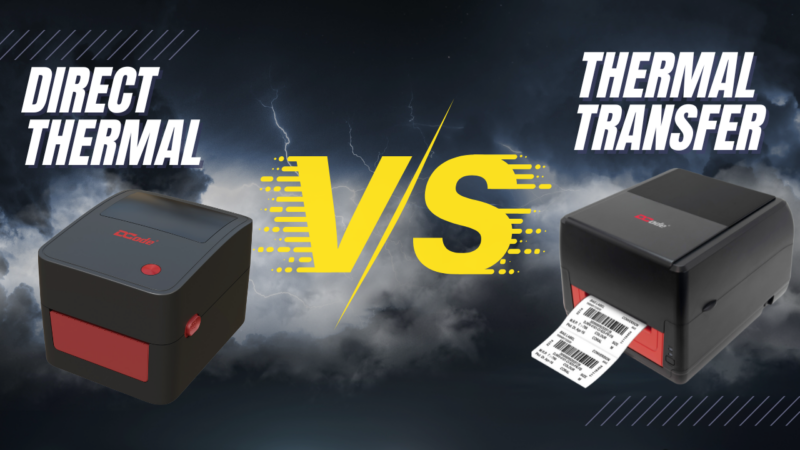
Direct Thermal Printing
Uses heat-sensitive labels without ribbons.
Suitable for:
- Shipping labels
- Courier labels
- Short-term inventory labels
Pros
- Lower operating cost
- No ribbon required
- Easy to maintain
Cons
- Labels fade over time
- Not suitable for outdoor storage
Thermal Transfer Printing
Uses ribbon to print on labels.
Best for:
- Warehouse inventory
- Chemical labels
- Asset labels
- Long-term storage
Advantages
- Waterproof labels
- Scratch-resistant
- Long-lasting print
- Excellent barcode readability
Key Factors to Consider Before Buying a Label Printer
1. Printing Volume
Estimate how many labels you print daily.
| Daily Labels | Recommended Printer |
|---|---|
| Up to 500 | Desktop Printer |
| 500–5,000 | Commercial Printer |
| 5,000+ | Industrial Printer |
2. Print Resolution
Choose based on barcode size.
Common options:
- 203 DPI – Standard warehouse labels
- 300 DPI – Small barcodes
- 600 DPI – Tiny product labels
For most warehouses, 203 DPI offers the best balance of quality and speed.
3. Print Speed
Warehouse productivity depends on speed.
Recommended:
- Small warehouse: 4–6 inches/sec
- Medium warehouse: 6–8 inches/sec
- Large warehouse: 8–12 inches/sec
4. Connectivity Options
Modern warehouse printers should support:
- USB
- LAN
- Bluetooth
- Wi-Fi
- Serial Port
- Ethernet
Multiple connectivity options allow seamless integration with warehouse management systems (WMS).
5. Label Width
Choose according to your application.
Typical sizes:
- 2-inch labels
- 3-inch labels
- 4-inch shipping labels
- 6-inch pallet labels
6. Barcode Compatibility
Ensure the printer supports:
- QR Codes
- Code 128
- Code 39
- EAN
- UPC
- PDF417
- Data Matrix
7. Software Compatibility
Your warehouse printer should work with:
- ERP Software
- Warehouse Management Systems
- Inventory Software
- Windows
- Linux
- Android
- iOS
Common Warehouse Label Applications
Warehouse printers are commonly used for:
- Inventory Labels
- Shipping Labels
- Pallet Labels
- Rack Labels
- Bin Labels
- Shelf Labels
- Asset Tracking
- Barcode Stickers
- Product Identification
- Dispatch Labels
Benefits of Using the Right Label Printer
Improved Inventory Accuracy
Clear barcode labels reduce manual entry mistakes and improve stock accuracy.
Faster Order Fulfillment
Employees can quickly scan products, speeding up picking, packing, and shipping.
Better Warehouse Organization
Clearly labeled shelves, pallets, and bins make it easier to locate products and optimize storage space.
Lower Operating Costs
Thermal printers require less maintenance and fewer consumables than inkjet or laser printers, helping reduce long-term expenses.
Enhanced Barcode Scanning
High-quality barcode labels improve scanning accuracy, reducing delays during inventory checks and shipping.
Mistakes to Avoid When Buying a Warehouse Label Printer
Avoid these common errors:
- Buying based only on price
- Ignoring daily print volume
- Choosing low-quality labels
- Overlooking software compatibility
- Selecting the wrong print technology
- Ignoring future scalability
- Not checking warranty and service support
Which Label Printer is Best for Indian Warehouses?
The ideal label printer for warehouse India depends on your business size and operational requirements.
- Small warehouses benefit from desktop thermal printers for moderate daily printing.
- Medium-sized warehouses should opt for commercial-grade printers that balance speed and durability.
- Large warehouses and manufacturing units require industrial thermal transfer printers designed for continuous, high-volume operations.
When selecting a printer, prioritize:
- Reliable after-sales service in India
- Availability of labels and ribbons
- Compatibility with your existing software
- Easy maintenance and spare parts
Final Thoughts
Choosing the right label printer for warehouse India is a strategic investment that can significantly improve inventory accuracy, warehouse efficiency, and operational productivity.
Before making a purchase, evaluate your daily printing needs, label durability requirements, connectivity options, and software compatibility. A well-chosen thermal label printer will streamline warehouse operations, minimize errors, and support business growth for years to come.
Frequently Asked Questions (FAQs)
1. Which is the best label printer for warehouse India?
The best label printer depends on your warehouse size, daily print volume, and labeling requirements. Industrial thermal transfer printers are ideal for high-volume warehouses, while desktop thermal printers are suitable for small to medium businesses.
2. What is the difference between direct thermal and thermal transfer printers?
Direct thermal printers use heat-sensitive labels and do not require ribbons, making them ideal for short-term labels. Thermal transfer printers use ribbons to create durable, long-lasting labels suitable for warehouse inventory and asset tracking.
3. What print resolution is recommended for warehouse barcode labels?
A 203 DPI printer is sufficient for most warehouse applications. If you need to print very small barcodes or detailed graphics, consider a 300 DPI printer.
4. Can warehouse label printers print QR codes and barcodes?
Yes. Most modern warehouse label printers support popular barcode formats such as Code 128, Code 39, EAN, UPC, QR Code, Data Matrix, and PDF417.
5. What connectivity options should I look for in a warehouse label printer?
Look for printers that offer USB, Ethernet (LAN), Bluetooth, Wi-Fi, and Serial connectivity. This ensures seamless integration with Warehouse Management Systems (WMS), ERP software, and multiple devices.
6. How long do thermal transfer labels last?
Thermal transfer labels can remain readable for several years when paired with the appropriate ribbon and label material, making them ideal for long-term warehouse storage and asset management.
7. Are thermal label printers cost-effective for warehouses?
Yes. Thermal label printers have lower operating costs than inkjet or laser printers because they require less maintenance and, in the case of direct thermal models, no ink or toner.